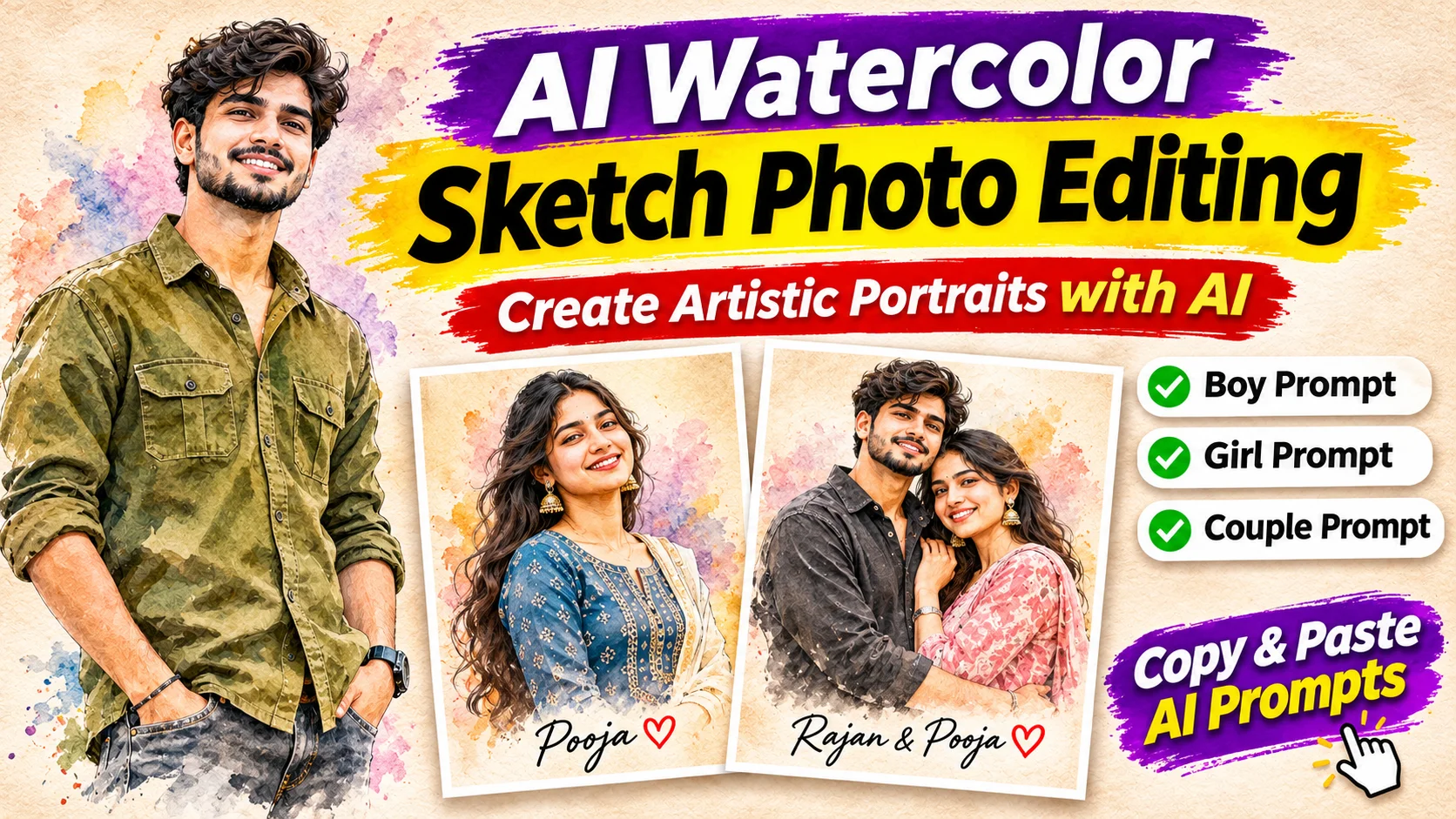
Nowadays, AI Watercolor Sketch Photo Editing is becoming a popular trend on Instagram, Facebook, and other social media platforms. With this creative photo editing style, you can transform your normal photograph into a beautiful watercolor painting and pencil sketch portrait.
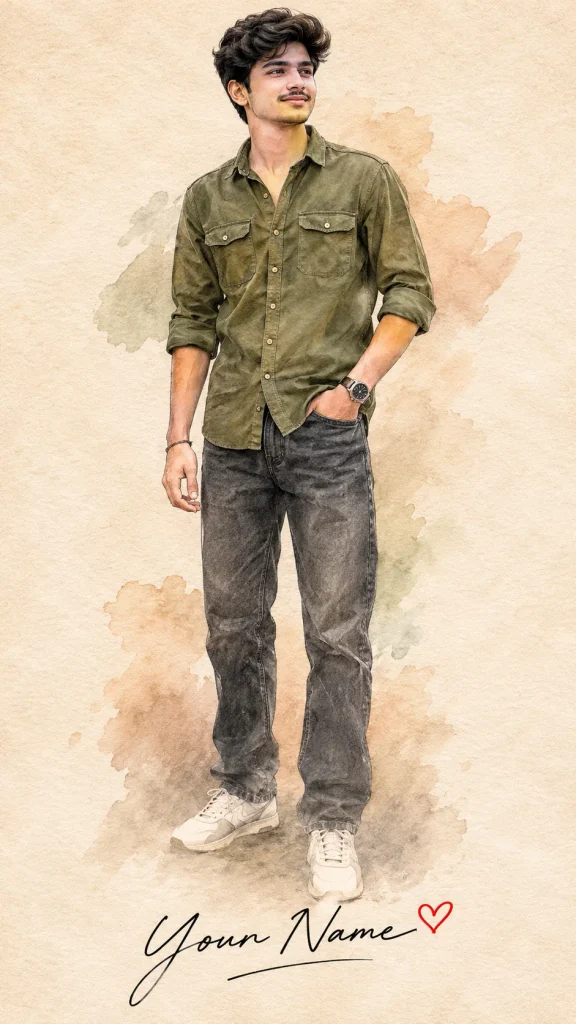
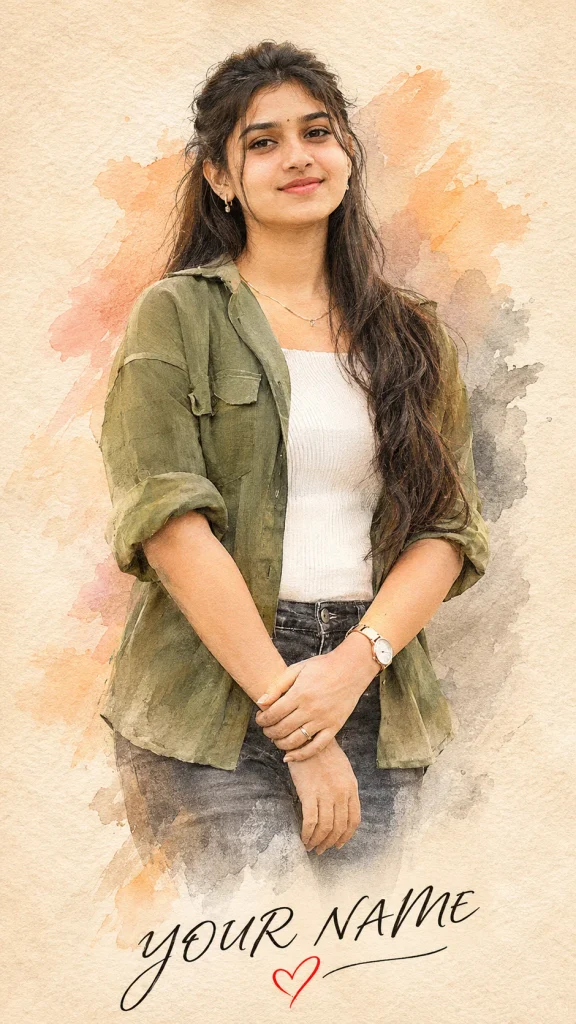
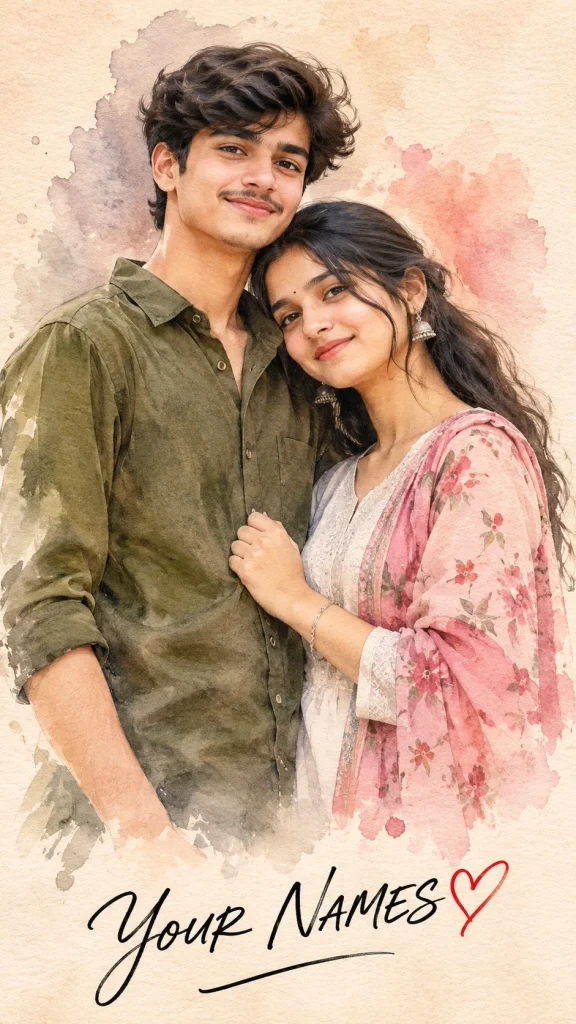
This editing style gives your photo a unique artistic appearance. It features a soft beige paper background, realistic facial details, beautiful watercolor brush strokes, and stylish handwritten text with a small heart symbol.
Whether you are a boy, a girl, or a couple, you can create your own artistic portrait using AI tools like Google Gemini and ChatGPT.


What Is AI Watercolor Sketch Photo Editing?
AI Watercolor Sketch Photo Editing is a creative technique that uses artificial intelligence to transform ordinary photos into artistic portraits.
In this style, AI analyzes your uploaded photo and creates a watercolor and pencil sketch effect while maintaining your original facial features, hairstyle, skin tone, and overall appearance.
The person is usually placed in the center of the image with a minimal cream-colored background. The lower part of the portrait features fading watercolor brush strokes, giving it a handmade painting effect.

You can also add your name below the portrait using an elegant handwritten font and a small red heart.
What Do You Need to Create an AI Watercolor Sketch Photo?
You don’t need professional photo editing skills or expensive software to create this type of image.
Here are a few things you need:


- A clear and high-quality photograph.
- Google Gemini or ChatGPT.
- An internet connection.
- A suitable AI photo editing prompt.
- Your preferred name or Instagram username.
How to Create an AI Watercolor Sketch Photo Using Gemini?
Follow these simple steps to create your own watercolor sketch portrait.
Step 1: Open Google Gemini on your mobile phone or computer.
Step 2: Upload your favorite photograph.
Step 3: Choose one of the three AI photo editing prompts given below.
Step 4: Copy the prompt and paste it into the Gemini chat box.
Step 5: Replace YOUR NAME with your preferred name.
Step 6: Click the Generate button and wait for Gemini to create your artistic portrait.
Step 7: Download your final image and share it on social media.
AI Watercolor Sketch Photo Editing Prompts
Below are three different prompts for creating watercolor sketch portraits. Choose the prompt according to your photo.
1. AI Watercolor Sketch Photo Prompt for Boy
If you want to transform your normal boy’s photo into a stylish watercolor sketch portrait, use this prompt.
Copy Prompt:
2. AI Watercolor Sketch Photo Prompt for Girls
Girls can also create beautiful watercolor sketch portraits using this creative AI prompt.
Copy Prompt:
3. AI Watercolor Sketch Photo Prompt for Couples
If you want to create a romantic watercolor sketch portrait with your partner, this couple photo editing prompt is perfect.
Copy Prompt:
Best Ways to Share Your AI Watercolor Sketch Photo
After creating your image, you can share it across different social media platforms.
- Instagram: Upload it as a post or story.
- WhatsApp: Use it as your status or profile picture.
- Facebook: Share it with your friends and followers.
- Instagram Reels: Use the image as a creative reel cover.
- Pinterest: Save it as an artistic photo inspiration.
You can also add captions like “My Photo, My Art!”, “Created with AI Magic” or “Together in Every Frame!”
AI Watercolor Sketch Photo Editing is a simple and creative way to turn ordinary photographs into beautiful artistic portraits. Whether you want a stylish boy portrait, an elegant girl portrait, or a romantic couple sketch, these three prompts can help you create different designs using AI tools.
Simply upload your photo, select your favorite prompt, add your name, and generate your personalized watercolor sketch portrait. Try this trending photo editing style and share your creative results with friends and followers on social media.