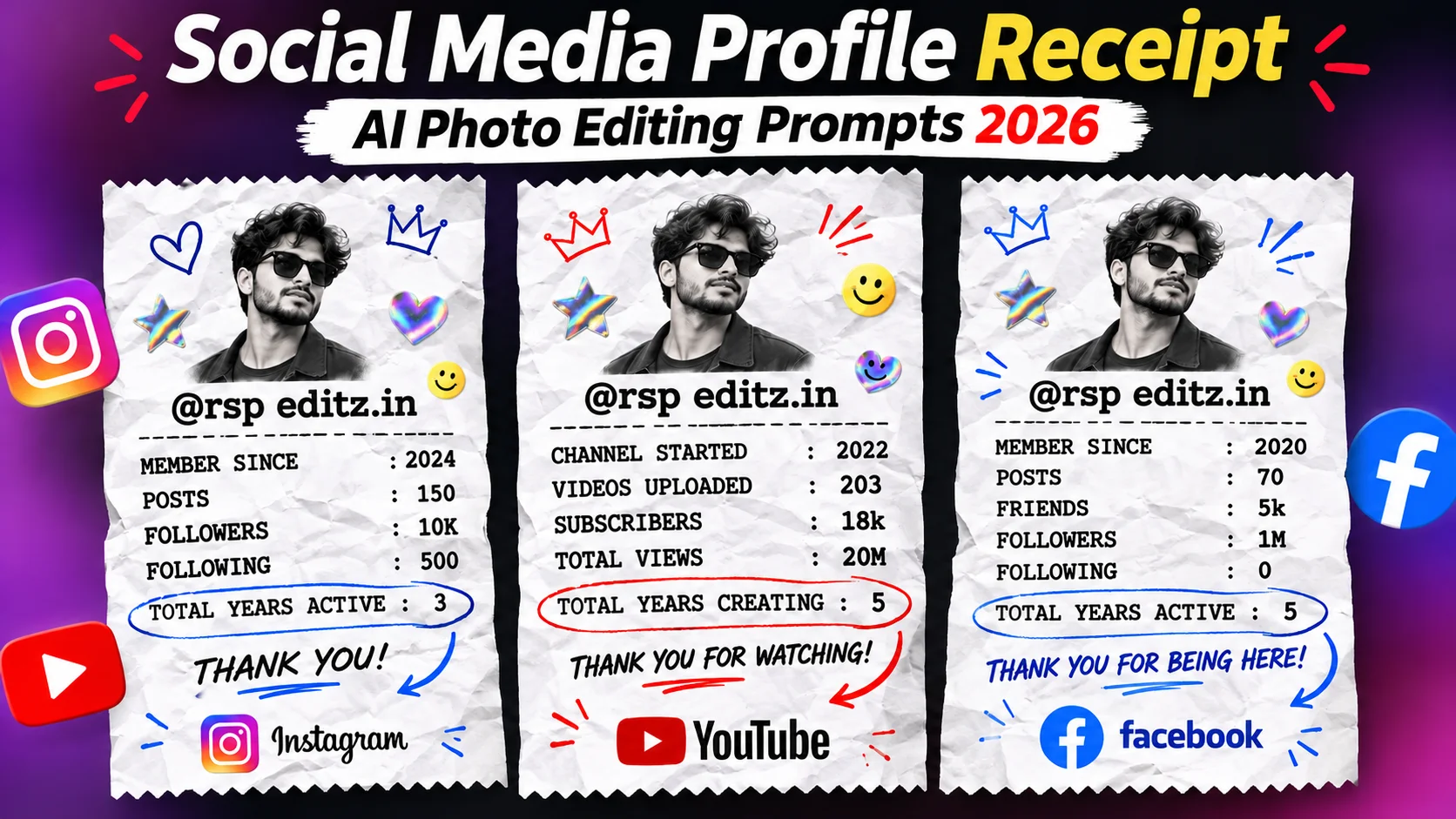
Social media is full of new AI photo editing trends in 2026. One of the most popular trends is Social Media Profile Receipt AI Photo Editing. In this trend, your social media profile looks like a stylish shopping receipt. It includes your photo, username, followers, posts, subscribers, and other account details.
This photo style looks unique, creative, and attractive. It usually features slightly crumpled white receipt paper, a black-and-white portrait, colourful stickers, social media logos, and beautiful text designs.
If you also want to create a trendy receipt-style photo for your Instagram ID, YouTube channel, or Facebook profile, you are in the right place. In this article, you will get 3 different AI photo editing prompts that you can easily use with ChatGPT or other AI image-generation tools.

You only need to upload your photo, copy your favourite prompt, and add your account details to create your own stylish social media receipt photo.
What Is Social Media Profile Receipt AI Photo Editing?
Social Media Profile Receipt AI Photo Editing is a creative photo editing trend. It changes your normal social media profile details into a beautiful receipt-style poster.
In this design, your portrait appears at the top of a receipt, while your social media information is displayed below it in a clean typewriter-style font.

For example:
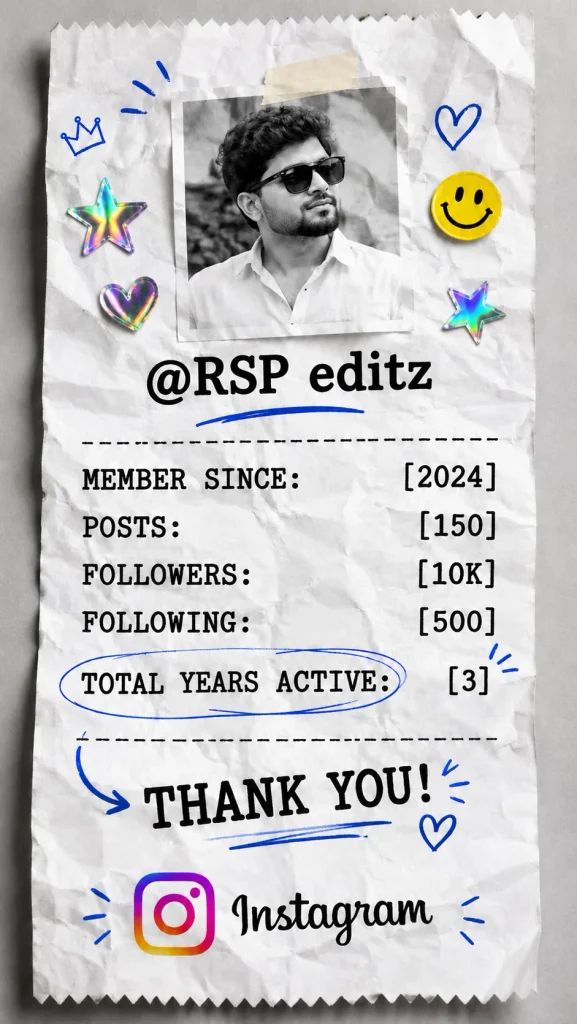
- Instagram: Username, posts, followers, following, and joining year.
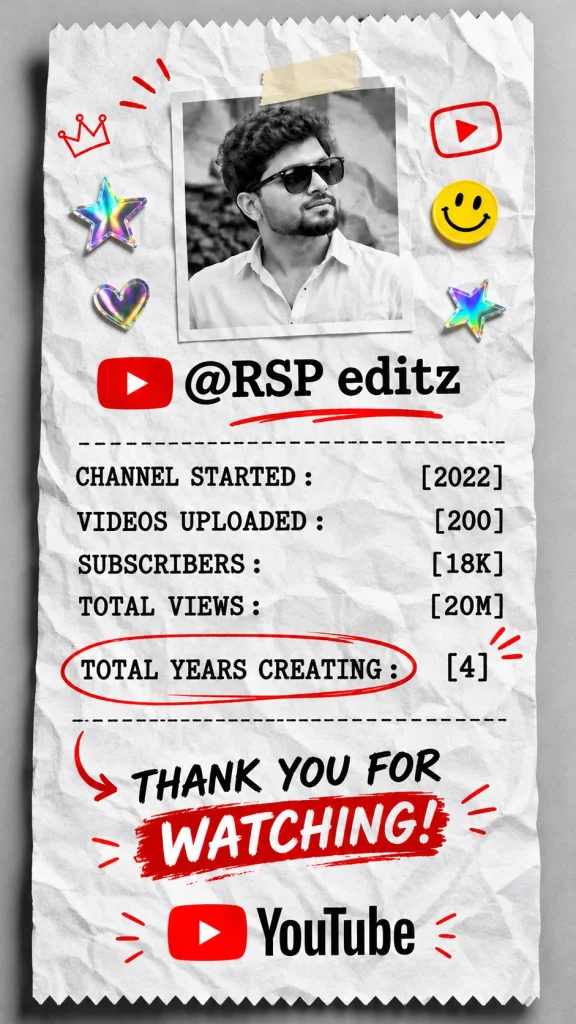
- YouTube: Channel name, subscribers, uploaded videos, total views, and channel starting year.
- Facebook: Profile name, friends, followers, posts, and joining year.
You can also add social media logos, colourful stickers, handwritten arrows, hearts, stars, and other creative elements.
These AI-generated photos are perfect for Instagram Stories, Facebook Stories, WhatsApp Status, and other social media platforms.
Social Media Profile Receipt AI Photo Editing Prompts
Here are three amazing AI photo editing prompts for Instagram, YouTube, and Facebook. Simply copy the prompt you like and replace the sample details with your own information.
1. Instagram Profile Receipt AI Photo Prompt
Do you want to create a stylish receipt-style photo for your Instagram profile? This prompt will help you create a beautiful Instagram receipt poster with your profile details, portrait, and Instagram logo.
🔥 Prompt 1:
2. YouTube Channel Receipt AI Photo Prompt
If you are a YouTuber or content creator, this prompt is perfect for your YouTube channel. It creates a professional receipt-style poster showing your channel name, subscribers, uploaded videos, and total views.
If you are a YouTuber or content creator, this prompt is perfect for your YouTube channel. It creates a professional receipt-style poster showing your channel name, subscribers, uploaded videos, and total views.
3. Facebook Profile Receipt AI Photo Prompt
Want to make your Facebook profile look more creative? Try this Facebook Profile Receipt AI Photo Editing Prompt. It will turn your profile information into a beautiful receipt-style design.
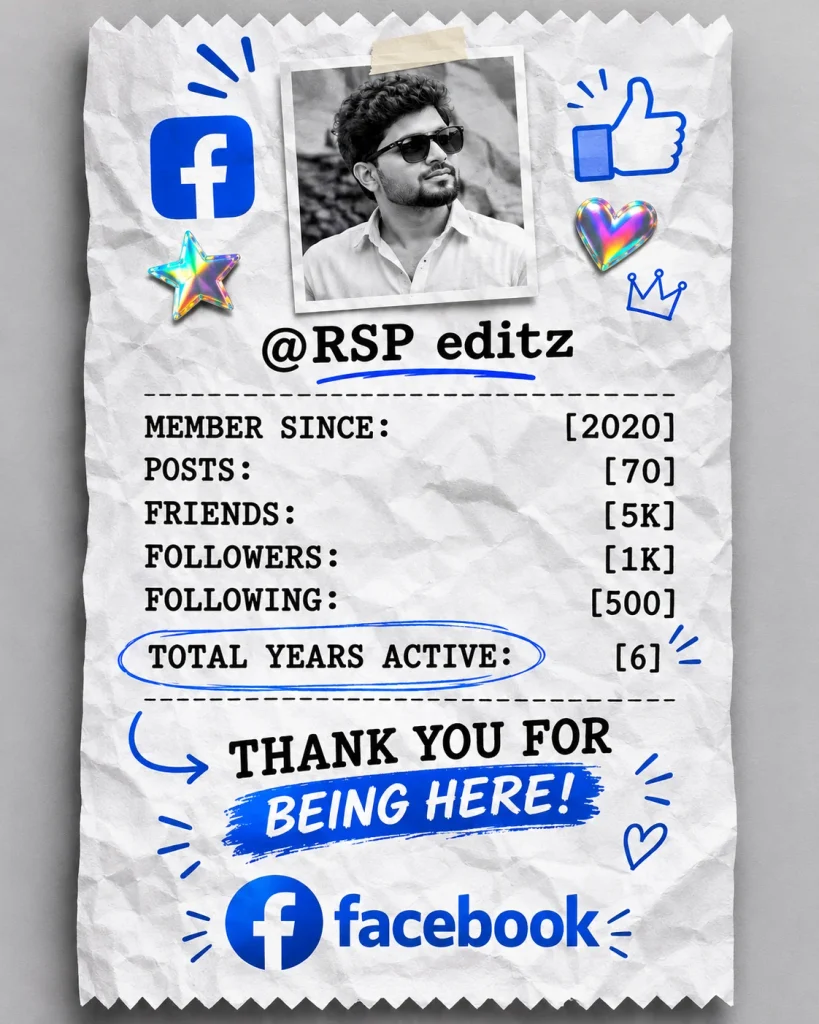
🔥 Prompt 3:
How to Create Social Media Profile Receipt AI Photos?
Creating a receipt-style AI photo is very easy. You do not need professional photo editing skills or expensive software. You can create these images using ChatGPT.
Follow these simple steps:
- First, select your favourite Instagram, YouTube, or Facebook AI photo editing prompt from this article.
- Open the ChatGPT app or website.
- Click the Plus (+) icon and upload your clear, high-quality photo.
- Copy your selected AI photo editing prompt and paste it into the chat.
- Replace the sample username, followers, subscribers, posts, and other details with your actual account information.
- Check all the details and click the Send button.
- ChatGPT will generate your receipt-style AI photo.
- Once the image is ready, save it and share it on Instagram Stories, Facebook Stories, or WhatsApp Status.
You can follow the same process for all three social media platforms.
Important Tips for Better AI Receipt Photos
Follow these simple tips to get better results from AI photo editing:
- Use a clear photo: Upload a high-quality picture with your face clearly visible.
- Preserve your identity: Always mention that your original face and skin tone should remain unchanged.
- Enter correct details: Use your actual username, followers, subscribers, and post count.
- Choose the right prompt: Use the Instagram prompt for Instagram, the YouTube prompt for YouTube, and the Facebook prompt for Facebook.
- Check the text: AI tools sometimes make spelling mistakes or display incorrect numbers. Check the generated image carefully.
- Try different photos: You can upload different portraits and create multiple receipt-style designs.
- Use the correct format: Choose 9:16 for Stories and 4:5 for Facebook-style portrait posters.
Social Media Profile Receipt AI Photo Editing is a fun and creative trend in 2026. With the help of ChatGPT, you can easily turn your normal photo into a stylish receipt-style poster for Instagram, YouTube, and Facebook.
In this article, we have shared three different AI photo editing prompts for social media users and content creators. You can copy any prompt, upload your photo, enter your account details, and create your own unique AI receipt photo.
If you like these prompts, share this article with your friends and family. Keep exploring new AI photo editing prompts, trending photo ideas, and creative AI tutorials to make your social media profile more attractive.